Step away.
Stay in the Loop
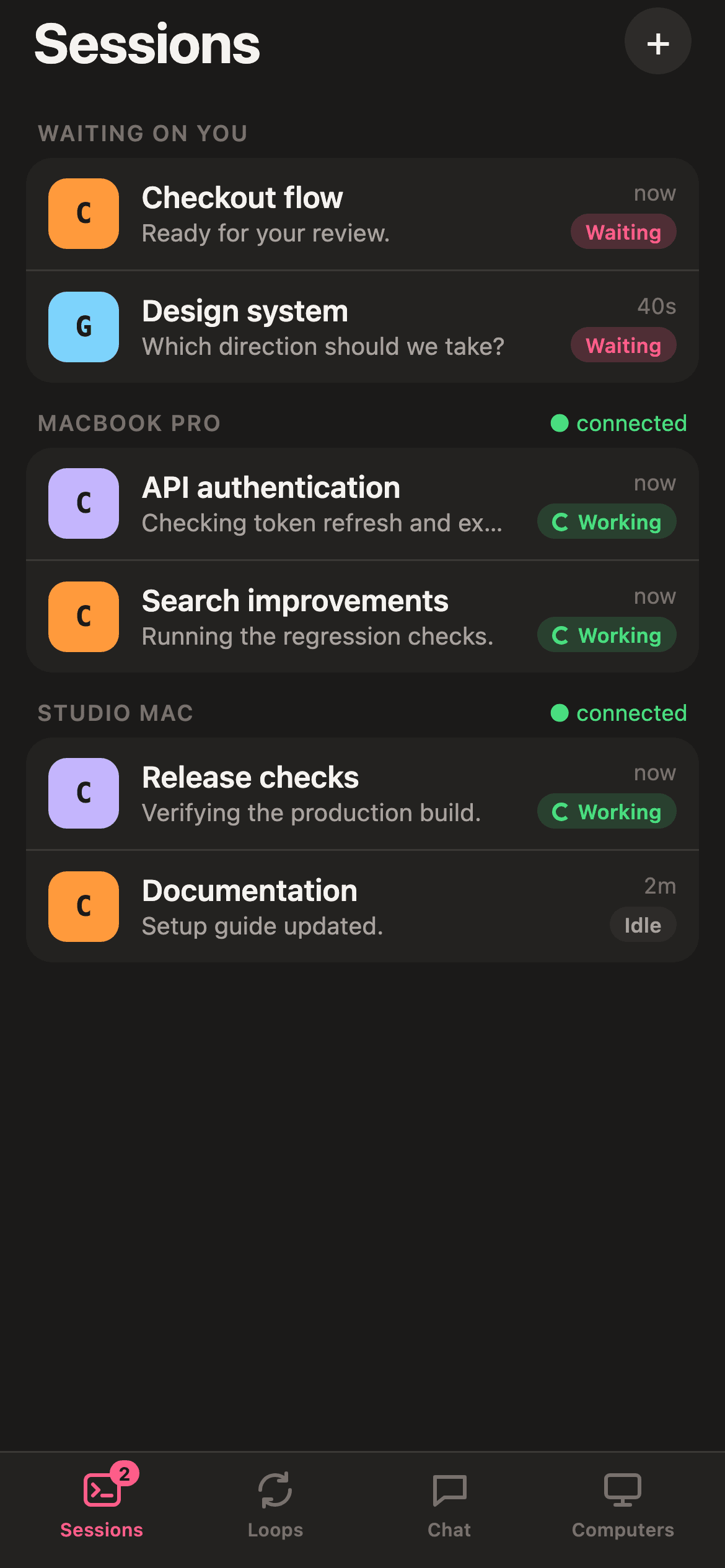
See which session needs you. Read the terminal, send a message, or attach a file to your draft. The native app brings Sessions, Loops, Chat and Computers to your phone, through a relay you control. Use remote control of your AI coding sessions with Claude Code, Codex, Gemini CLI and the other supported engines, over your own self-hosted relay.
iOS: TestFlight invitation from the maintainer. Android: development builds. No Partyline account.
how it works
get the beta
Use your iOS TestFlight invitation, or build the Android development app. The native interface is bundled with the app; a browser client is also available.
pair each computer
Scan its pairing QR in the app, compare the four-digit phone code and approve on the computer. A gateway join is a different approval.
keep the work moving
Read Messages or Terminal, send chat, and attach a photo or file. Phone layout is optional and also narrows that window on your computer.
what you're wondering
can I type into a session?
Yes. Send submits a draft; insert adds terminal text without Return. Reconnect does not replay input. If delivery is unknown, inspect the session before retrying: the original command might already have run.
what happens to an attachment?
Files travel encrypted to the paired computer, up to 20 MiB per file and a 200 MiB per-phone cache. A confirmed upload adds its path to your draft; it never presses Send.
does my computer need to stay on?
Yes. Sessions run on your computer and the relay needs a reachable route. A disconnected phone cannot tell whether the computer, gateway or network caused the interruption.
Your sessions. A little closer.
Start with the pairing guide.